
Background Video Recorder: Record Video with Screen Off on Android
Most camera apps stop recording the moment you lock your phone. Off Screen Video Recorder is a free background video recorder for Android that doesn’t. Start recording, lock the screen or switch to another app, and the video keeps going. That lets you record video with the screen off, save battery, and keep using your phone.
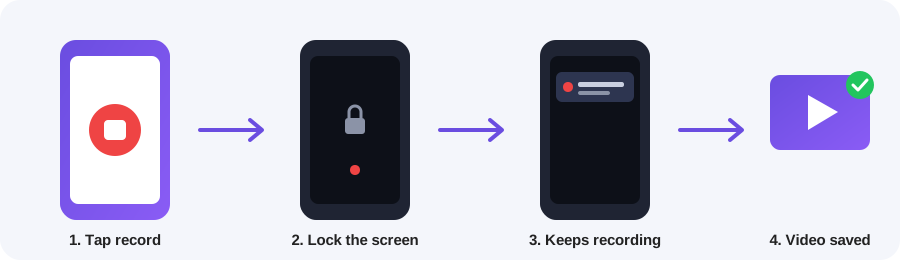
How to record video with the screen off
- Open the app and tap Start Recording.
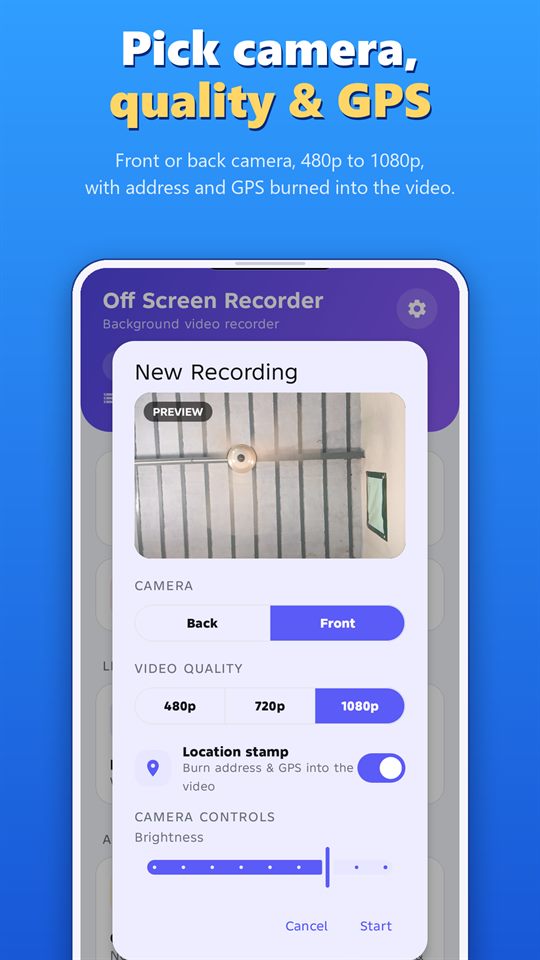
- Pick the front or back camera and 480p, 720p or 1080p quality.
- Tap Start, then lock your phone.
A notification stays visible during the whole recording, and you must accept a consent notice before your first one.
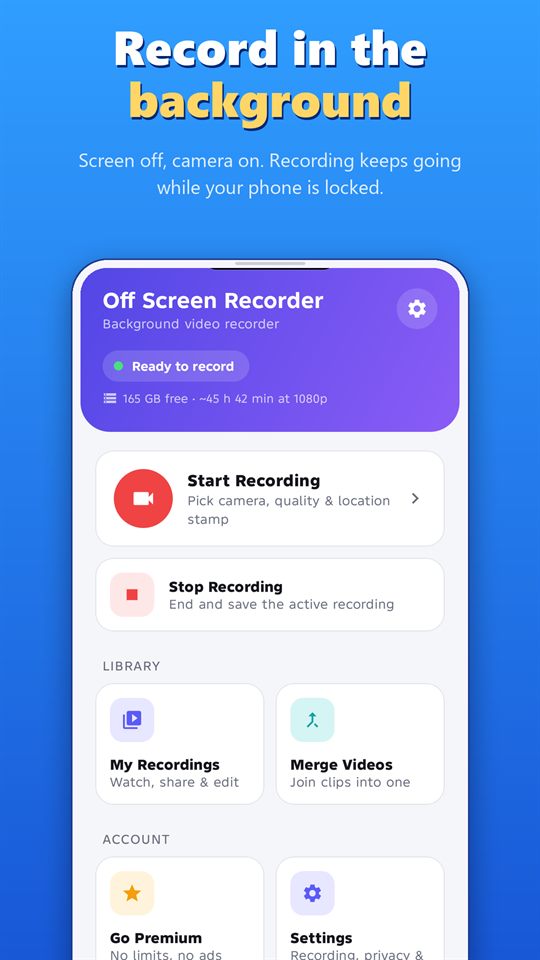
Features of this video recorder app
Instant GPS location video stamp
Turn on the location stamp and the app draws your address and GPS coordinates onto the video while you record, so there is no waiting afterwards. It suits site inspections, deliveries, travel logs and proof of location.
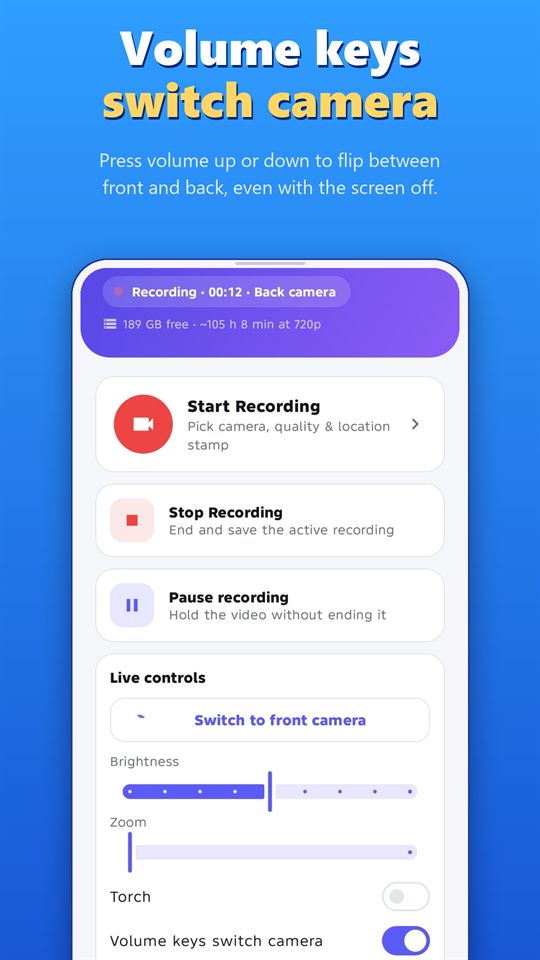
Control the background camera without opening the app
- Notification buttons: pause, switch camera or stop
- Volume keys: switch between front and back camera, even with the screen off
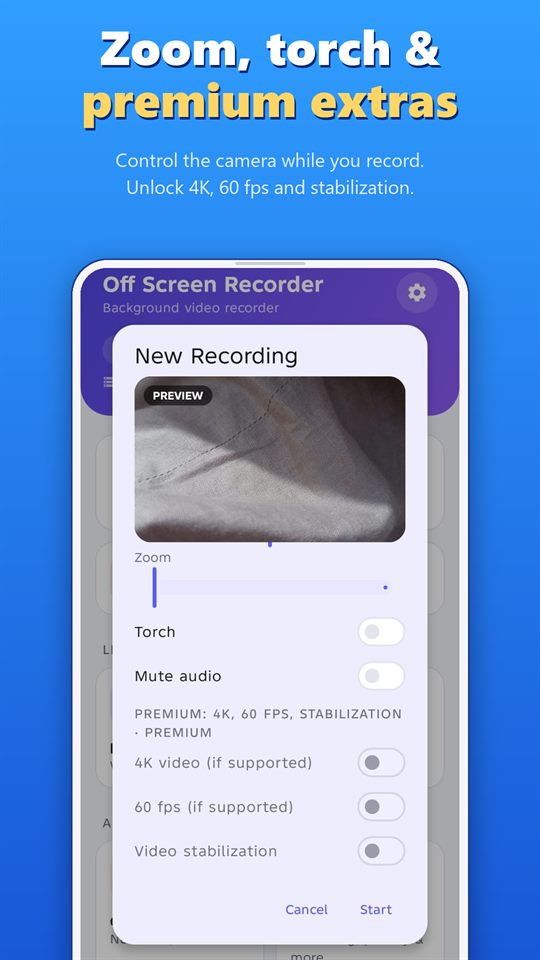
- Live controls: brightness, zoom, torch and mute
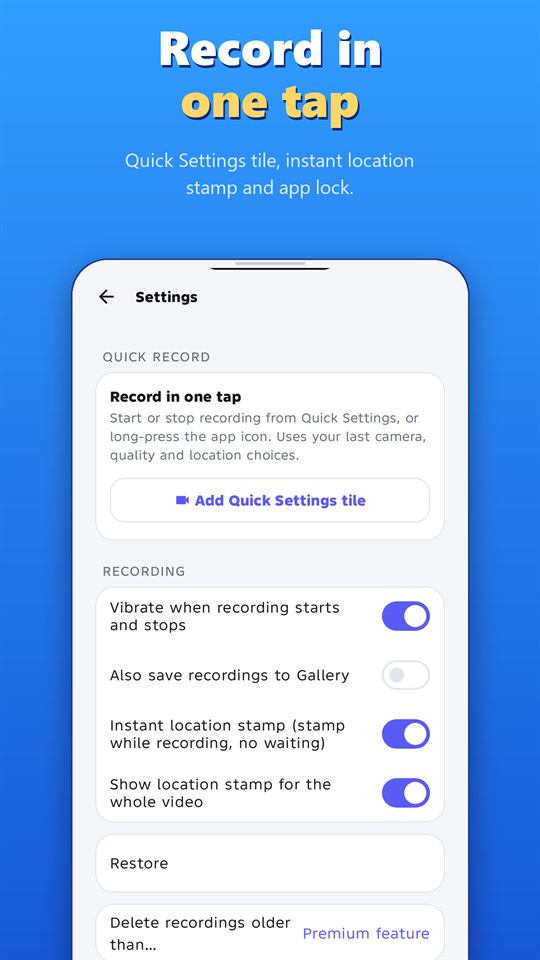
One-tap recording
Add the Quick Settings tile or long-press the app icon to start and stop recording instantly, using your last camera, quality and location choices.
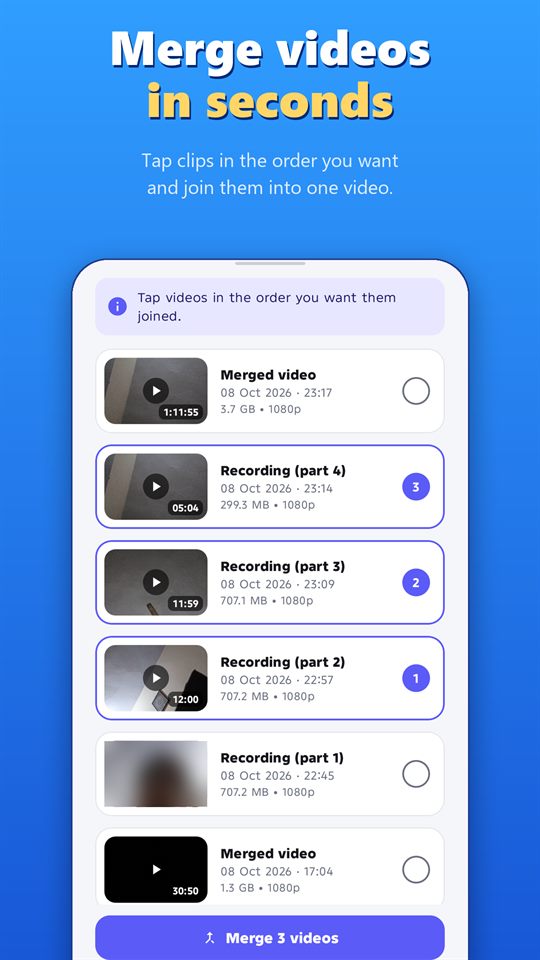
Merge videos in seconds
Tap your clips in the order you want and join them into one video. Clips with the same format are merged without re-encoding, so it’s fast and keeps the original quality. You can also add a voice note of up to 60 seconds and trim any video.
Private and organised
- Fingerprint or PIN app lock
- Built-in player, share and delete
- Segmented recording (1 to 240 minutes), auto-stop timer and auto-delete
- Low-storage warning and an optional copy saved to your Gallery
4K video recorder with Premium
The free plan records up to 5 minutes per video. Premium removes the limit and adds 4K and 60 fps on supported devices and video stabilization, with no ads anywhere in the app.
What is a background camera app used for?
- Dash cam style recording in the car
- Lectures and meetings (with consent)
- Interviews and field work
- Travel vlogs
- Documenting events
Guides for Off Screen Video Recorder
- How to Record Video with the Screen Off on Android. Setup, battery and storage tips for screen-off recording.
- Record Lectures and Meetings with Consent. Ask permission, place the phone well and organise recordings.
- Dash Cam Style Recording with Your Phone. Mounting, storage, power and what to do after an incident.
- GPS-Stamped Videos for Inspections and Deliveries. Uses, accuracy tips and limits of a location stamp.
- How to Merge and Trim Videos on Android. Join clips in order without re-encoding, and trim and add a voice note.
- One-Tap Recording: Quick Settings Tile and Volume Keys. Start, stop and switch cameras without opening the app.
- Women's Safety App: How a Background Video Recorder Helps Document Harassment. Scenarios, features, tips and the limits to know about.
Recording responsibly
Off Screen Video Recorder is made for recording where you are allowed to, and with the knowledge of the people being recorded. The app shows a notification during every recording and asks you to accept a consent notice before your first one. Do not use any recording app to film people without their knowledge where the law or common decency does not allow it. Laws on recording differ by country and region, so if you are unsure, ask a legal adviser.
Frequently asked questions
Can I record video with the screen off on Android?
Yes. Start a recording in Off Screen Video Recorder, then lock your phone. Recording continues in the background.
Is the app free?
Yes. The free plan records up to 5 minutes per video. Premium unlocks unlimited length, 4K on supported devices and more.
Does it record audio too?
Yes, and you can mute the microphone while recording.
Is it legal to use?
Only record where it is legal and with the consent of the people being recorded. Laws differ by country. The app shows a notification during every recording and asks you to accept a consent notice before your first one.
Download
Get the free Off Screen Video Recorder on Google Play and start recording with the screen off today.
Published on Google Play by Safe Vision. Read the privacy policy.