
How to Merge and Trim Videos on Android Without Losing Quality
Long recordings are often saved in parts, and a day of clips is easier to share as one video. Off Screen Video Recorder has a built-in merger, so you can join clips in the order you want, trim them, and add a short voice note, all on your phone.

Merge clips in four steps
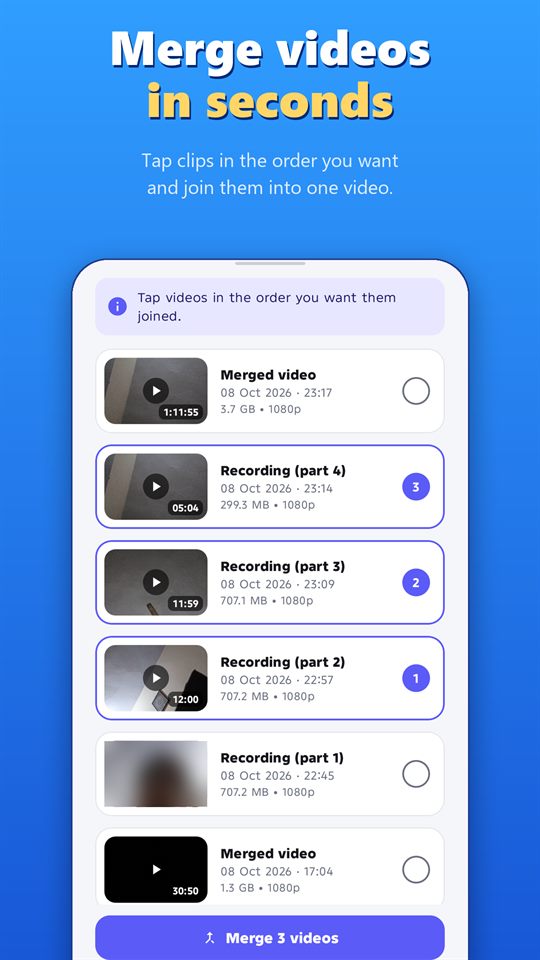
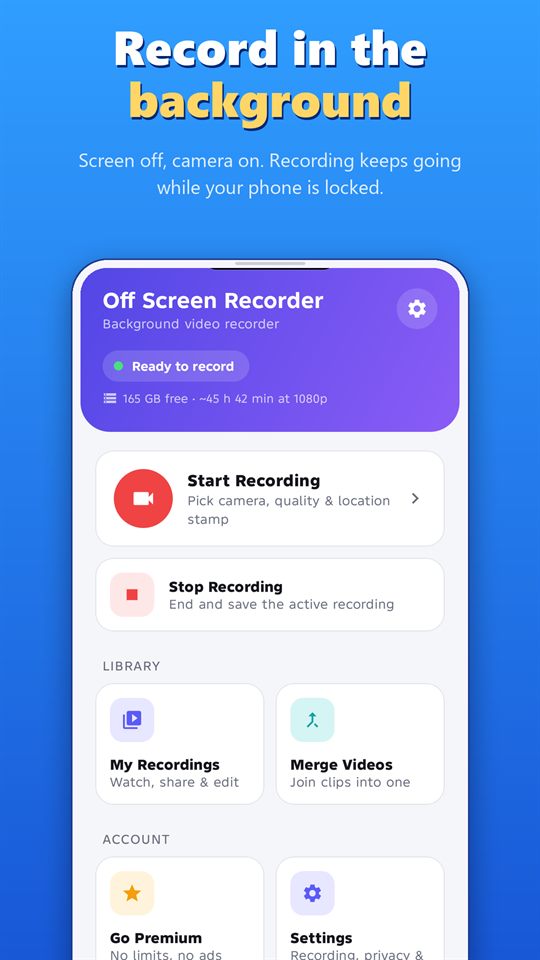
- Open Merge Videos from the home screen.
- Tap the clips in the order you want. Each one gets a number, so you can see the order.
- Tap Merge.
- Find the merged video in your recordings.
Keep the original quality
Clips that have the same format are merged without re-encoding. That makes merging fast and keeps the original quality. To get the most from this, record the clips with the same camera and the same quality.
Trim and add a voice note
- Trim any video to the part you need.
- Add a voice note of up to 60 seconds to explain what the video shows.
Tips
- Check the order before you tap Merge.
- Play the merged video before you delete the originals.
- Long videos are large. Check your free space before you merge.
- Back up the merged video, and use the app lock to keep your recordings private.
Share responsibly
Only share videos that show other people if they have agreed. Rules on recording and sharing differ by country and region, so check yours.
Record responsibly
Record only where it is legal, and with the consent of the people being recorded where the law or good manners require it. Laws differ by country and region. Android shows a notification while the app records, and the app can’t hide it. Never use any recorder to follow, harass or spy on someone.
Frequently asked questions
Does merging reduce the quality?
Clips with the same format are merged without re-encoding, so the original quality is kept.
Is merging slow?
No. Because same-format clips are not re-encoded, merging is fast.
Can I add narration?
Yes. You can add a voice note of up to 60 seconds.
Can I cut a video before I merge?
Yes. You can trim any video in the app.
More guides for Off Screen Video Recorder
- How to Record Video with the Screen Off on Android
- Record Lectures and Meetings with Consent
- Dash Cam Style Recording with Your Phone
- GPS-Stamped Videos for Inspections and Deliveries
- One-Tap Recording: Quick Settings Tile and Volume Keys
- Women's Safety App: How a Background Video Recorder Helps Document Harassment
Download
Get the free Off Screen Video Recorder on Google Play.
Published on Google Play by Safe Vision. Read the privacy policy. More about the app: Off Screen Video Recorder.