
Dash Cam Style Recording with Your Phone: Setup, Storage and Safety
A phone can work as a simple dash cam: it has a good camera, storage and a GPS. With the screen off, it can record the road while you drive and save battery. This guide covers setup, storage and power, and what to do after an incident. Set everything up before you drive, and never handle your phone while driving.

Set it up before you drive
- Mount the phone securely where it does not block your view. Check your local rules on mounting devices on the windshield.
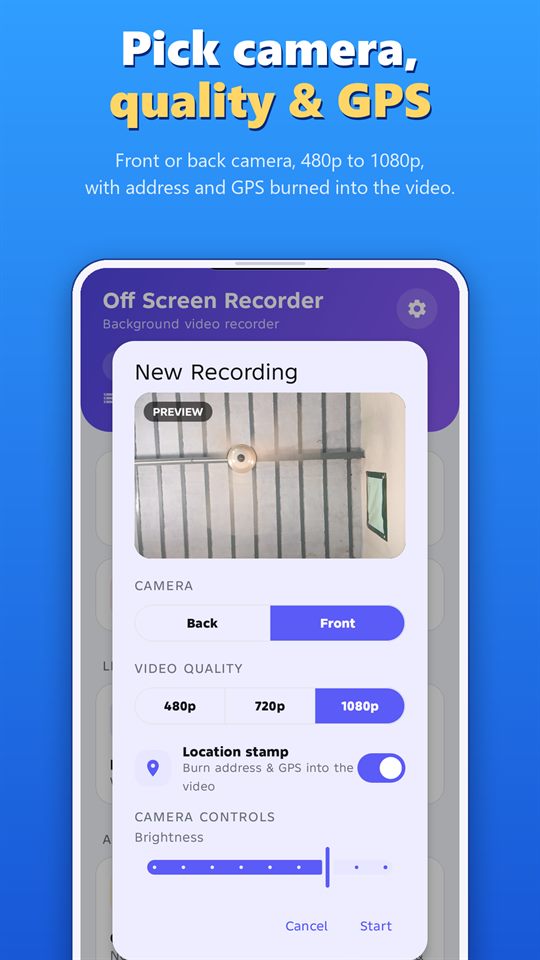
- Use the back camera and choose a quality that balances detail and storage.
- Turn on the location stamp if you want the address and coordinates on the video.
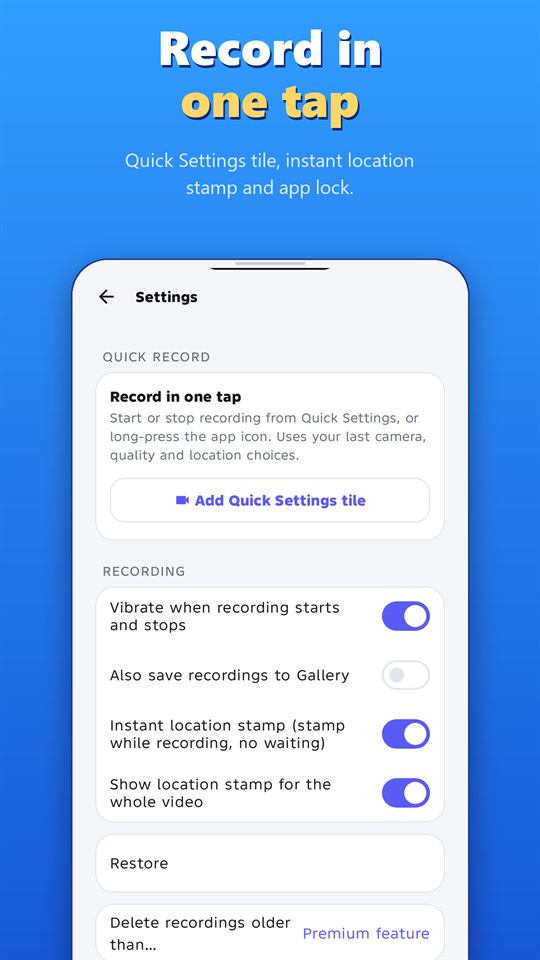
- Start recording with one tap from the Quick Settings tile, then lock the screen. It uses your last camera, quality and location choices.
Power and heat
- Keep the phone connected to a charger for longer drives.
- Don’t leave a phone in direct sun in a parked car. Heat can damage it and shorten battery life.
- Start the day with enough charge, even if you plan to use a charger.
Storage
- Check free space before you leave. The home screen shows how long you can record at the current quality.
- Use segmented recording so files stay a manageable size.
- Use the auto-delete options to clear old recordings you no longer need.
The free plan records up to 5 minutes per video. For long drives, Premium removes that limit.
After an incident
- Stay safe first. Move to a safe place and get help if anyone is hurt.
- Stop the recording from the notification and keep the original file.
- Back it up to another device or cloud storage.
- Write down the time, place and what happened.
- Share a copy with your insurer or the authorities if needed, and keep the original untouched.
Privacy and the law
Rules on recording in vehicles differ by country and region. Audio from passengers may need their consent, and some places restrict sharing recordings of other people. Tell your passengers you are recording, and check your local rules.
Record responsibly
Record only where it is legal, and with the consent of the people being recorded where the law or good manners require it. Laws differ by country and region. Android shows a notification while the app records, and the app can’t hide it. Never use any recorder to follow, harass or spy on someone.
Frequently asked questions
Can I use navigation while it records?
Yes. Start the recording, then switch to your navigation app. The recording continues in the background.
Does it record sound?
Yes. You can mute the microphone while recording.
Is a phone as good as a dedicated dash cam?
A dedicated dash cam is built to record continuously in a car. A phone can work well for simple use, but heat, storage and battery need attention.
Will I be told when storage is low?
Yes. The app shows a low-storage warning.
More guides for Off Screen Video Recorder
- How to Record Video with the Screen Off on Android
- Record Lectures and Meetings with Consent
- GPS-Stamped Videos for Inspections and Deliveries
- How to Merge and Trim Videos on Android
- One-Tap Recording: Quick Settings Tile and Volume Keys
- Women's Safety App: How a Background Video Recorder Helps Document Harassment
Download
Get the free Off Screen Video Recorder on Google Play.
Published on Google Play by Safe Vision. Read the privacy policy. More about the app: Off Screen Video Recorder.