
GPS-Stamped Videos for Site Inspections, Deliveries and Travel Logs
A GPS location stamp puts the address and coordinates on the video itself, drawn live while you record. When someone watches the clip later, they can see where it was taken. This guide covers where that helps, how to get an accurate stamp, and what it can and cannot show.

Where a location stamp helps
- Site inspections and progress checks, so each clip shows which site it is from.
- Deliveries and handovers, to record where an item was left.
- Field visits, so a visit record shows where you were.
- Travel logs and trip diaries.
- Move-in and move-out checks for rented homes and vehicles.
Turn it on
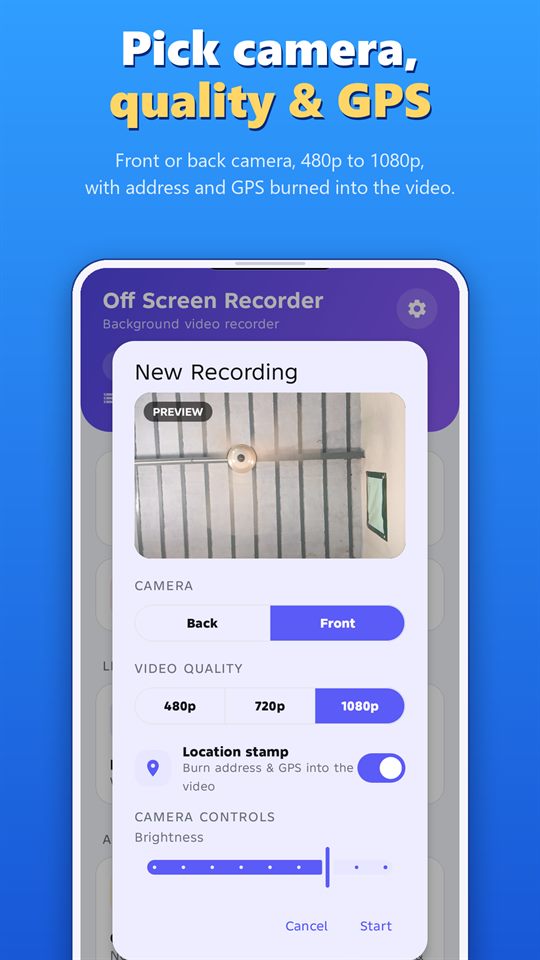
- Open Start Recording and switch on the Location stamp.
- Allow location access when the app asks.
- Make sure location is turned on in your phone.
- Tap Start. The stamp is added while you record, so there is no waiting afterwards.
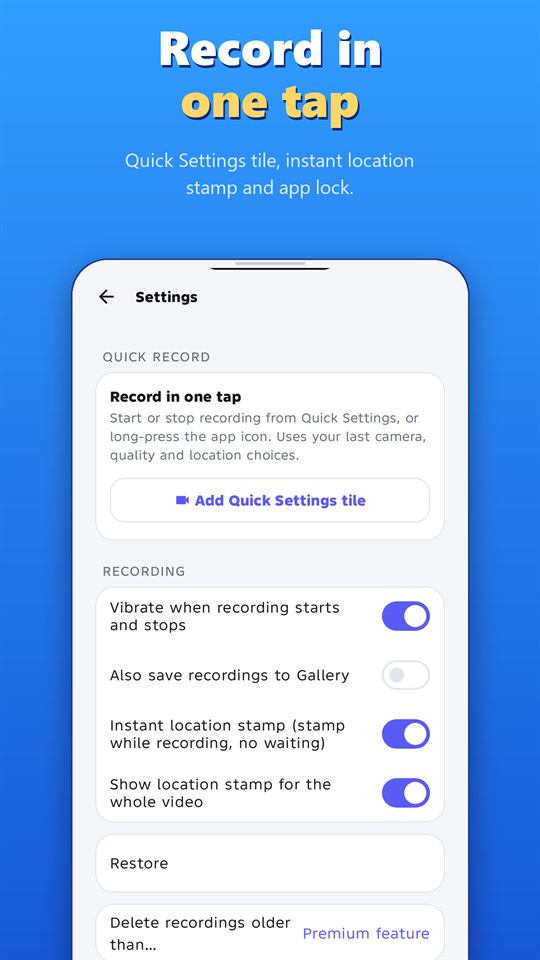
In Settings you can choose instant location stamp (stamped while recording, with no waiting) and whether to show the stamp for the whole video.
Get a more accurate stamp
- Record outdoors or near a window when you can. Indoors, GPS can be less accurate.
- Give your phone a moment to find your location before you start.
- Do a test clip and check that the address looks right.
- Say the date, place and purpose out loud at the start of an important clip.
What a location stamp does not do
- It is not tamper-proof. It adds useful context, but it is part of the video picture, not a certificate.
- It can be wrong. GPS accuracy depends on the phone and the place.
- It works best with notes. Write down the date, time, place and what you saw.
Respect privacy
Don’t film people without their permission, and avoid showing private details such as house numbers on clips you plan to share widely. Rules on recording differ by country and region, so check yours.
Record responsibly
Record only where it is legal, and with the consent of the people being recorded where the law or good manners require it. Laws differ by country and region. Android shows a notification while the app records, and the app can’t hide it. Never use any recorder to follow, harass or spy on someone.
Frequently asked questions
Is the stamp added while I record?
Yes. With the instant location stamp, the address and coordinates are drawn onto the video as you record, so the clip is ready as soon as you stop.
Can I show the stamp for the whole video?
Yes. There is a setting to show the location stamp for the whole video.
Does it work with the screen off?
Yes. You can record with the screen off and still have the location stamp on the video.
Can I rely on it as proof?
It adds useful context but is not tamper-proof, and GPS can be inaccurate. Use it together with notes and other records.
More guides for Off Screen Video Recorder
- How to Record Video with the Screen Off on Android
- Record Lectures and Meetings with Consent
- Dash Cam Style Recording with Your Phone
- How to Merge and Trim Videos on Android
- One-Tap Recording: Quick Settings Tile and Volume Keys
- Women's Safety App: How a Background Video Recorder Helps Document Harassment
Download
Get the free Off Screen Video Recorder on Google Play.
Published on Google Play by Safe Vision. Read the privacy policy. More about the app: Off Screen Video Recorder.